Morse Code Translator
Convert text to Morse code and back • Audio playback • Share to WhatsApp & Telegram
What Is Morse Code and How Does Our Translator Work?
Morse code is a way to send messages using just two signals: short ones (called dots or "dits") and long ones (called dashes or "dahs"). Every letter, number, and punctuation mark has its own pattern. For example, the letter S is three dots (···) and the letter O is three dashes (---). Put them together and you get SOS, the most famous Morse code signal in the world.
Our morse code translator takes any text you type and instantly turns it into Morse code dots and dashes. It works the other way around too. Paste in Morse code and get plain text back in seconds. You can also play the Morse code as audio, adjust the speed and tone, download it as a sound file, or share it directly through WhatsApp and Telegram.
The tool runs right in your browser. No downloads, no sign-ups, no limits. Just type and translate.
How to Use This Morse Code Translator
Text to Morse Code
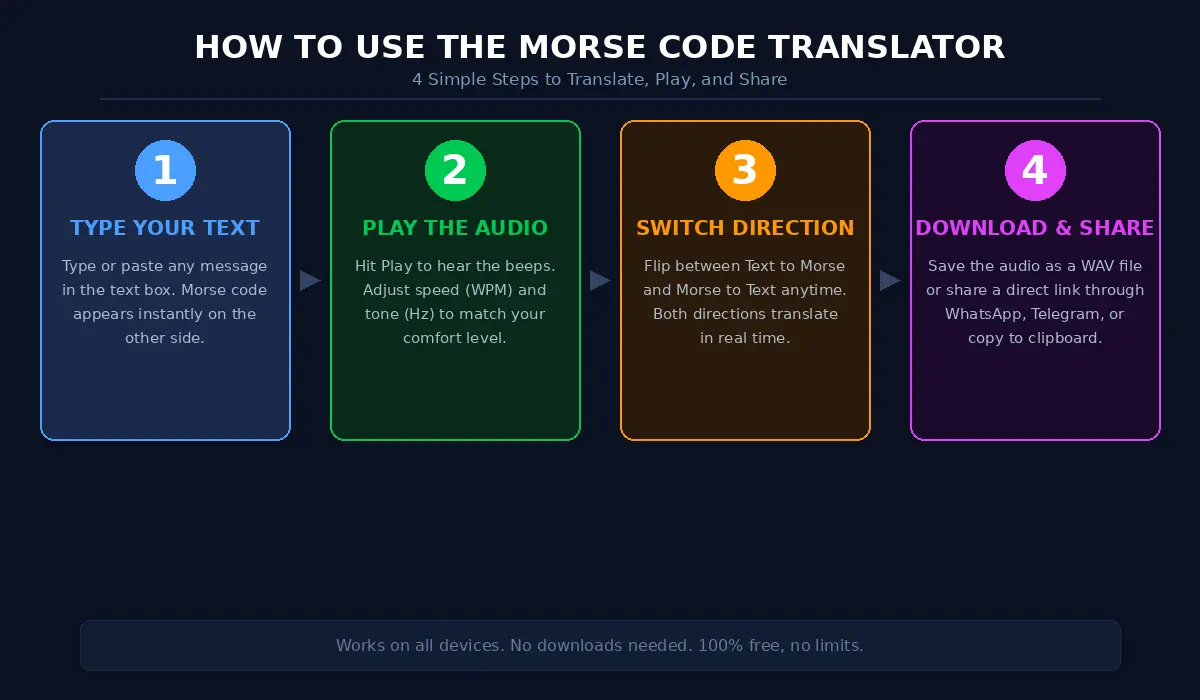
Type or paste your message in the text box on the left side. The Morse code shows up on the right side automatically. Each letter gets separated by spaces, and each word gets separated by a forward slash (/).
Morse Code to Text
Switch to the Morse Code tab and type or paste Morse code using dots (.) and dashes (-). Separate letters with a single space and words with a forward slash (/). The translated text shows up instantly.
Play Audio
Hit the Play button to hear your Morse code message as sound. You can adjust the speed (WPM means words per minute) and the tone frequency to match what sounds comfortable to your ear. Lower tones sound deeper, higher tones sound sharper.
Download and Share
Click Download to save the Morse code audio as a WAV file. Use the Share button to send your message through a link, WhatsApp, or Telegram. This is a fun way to send secret messages to friends or practice with someone else who is learning.
Visual Flashes
The translator also shows your Morse code as light flashes on screen. This is helpful if you want to practice reading visual signals, which is how Morse code was originally sent using signal lamps.
A Quick History of Morse Code
Samuel Morse and Alfred Vail created Morse code in the 1830s for use with the electric telegraph. Before phones, before radio, before the internet, the telegraph was the fastest way to send a message across long distances. And Morse code made it possible.
The first official telegraph message was sent in 1844 from Washington, D.C. to Baltimore. It said "What hath God wrought." From that moment, the world changed. Messages that used to take days or weeks by horse and ship could now travel in seconds.
Over the years, Morse code became the standard for all kinds of communication. Ships used it to talk to shore and to each other. The military used it in both World Wars. The famous SOS distress signal (··· --- ···) saved thousands of lives at sea, including during the Titanic disaster in 1912.
The International Morse Code, which is what our translator uses, replaced the original American version and became the global standard. It assigns shorter patterns to the letters used most often in English. The letter E is just one dot. The letter T is just one dash. This makes common words faster to send.
Even though newer technology has replaced Morse code in most professional settings, it never actually disappeared. Amateur radio operators still use it every day. The military still teaches it. Emergency workers learn it for backup communication. And millions of people around the world learn it simply because they find it fascinating.
Who Uses a Morse Code Translator Today?
Ham Radio Operators
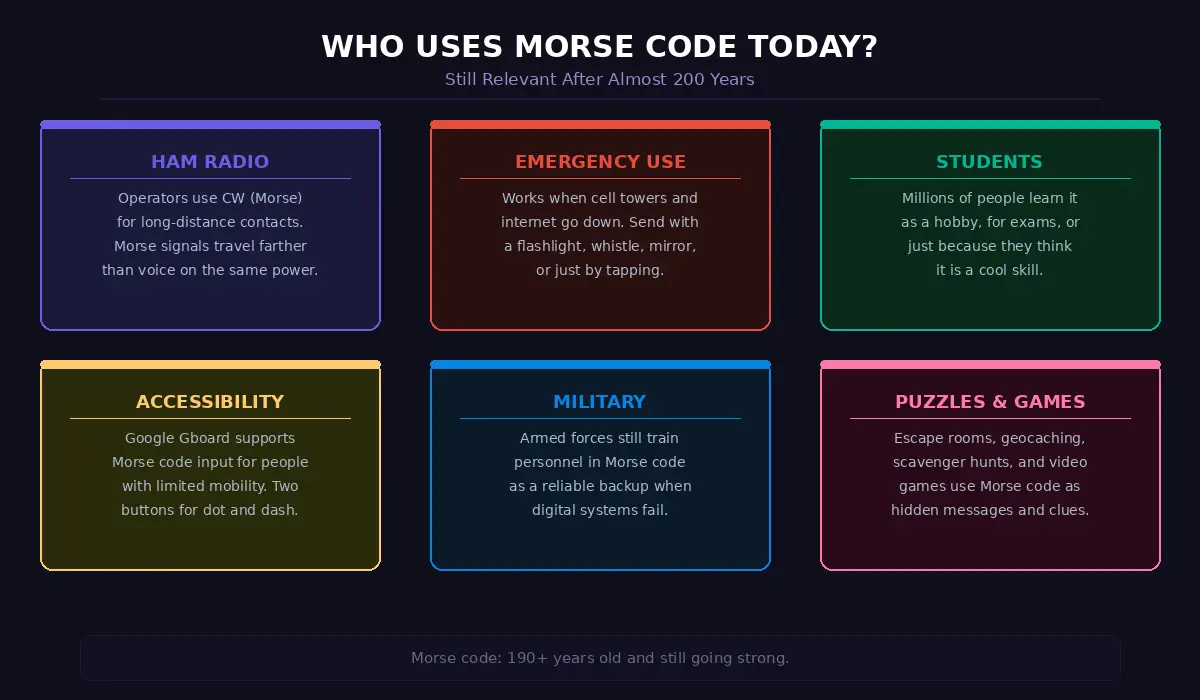
Amateur radio enthusiasts (also called ham radio operators) use Morse code, known as CW (continuous wave), for long-distance contacts. Morse code signals can travel farther than voice on the same amount of power, which makes it popular for reaching stations in other countries. Many operators use online translators to practice reading and sending before they go on air.
Students and Learners
If you are learning Morse code for the first time, a translator is one of the best starting tools. You can type any word, see the Morse code pattern, and play the audio. This helps your brain connect the sound pattern with the letter. Over time, you start recognizing characters by ear without needing to look at the translation.
Emergency Preparedness
Morse code is one of the most reliable communication methods in emergency situations. It works when cell towers go down, when internet is not available, and even when voice communication is too noisy or unclear. You can send Morse code with a flashlight, a whistle, a mirror, or by tapping on a surface. Knowing how to read it could make a real difference in a crisis.
Accessibility
Some people with physical disabilities use Morse code as an input method for communication devices. Google even added Morse code as a keyboard option on Android, where users tap two buttons (dot and dash) to type. Our translator helps users practice and learn the patterns they need.
Fun and Puzzles
Escape rooms, scavenger hunts, geocaching, and puzzle games regularly include Morse code challenges. Teachers use it in classrooms to make lessons more engaging. And plenty of people just enjoy learning it as a unique skill.
Understanding Morse Code Timing and Speed
When you use our translator to play audio, you will notice the speed setting measured in WPM, which stands for words per minute. But what does that actually mean in Morse code?
The standard reference word is "PARIS," which contains 50 dot-lengths in total when you include all the spaces between letters and words. If you set the speed to 15 WPM, the translator sends the word PARIS 15 times in one minute.
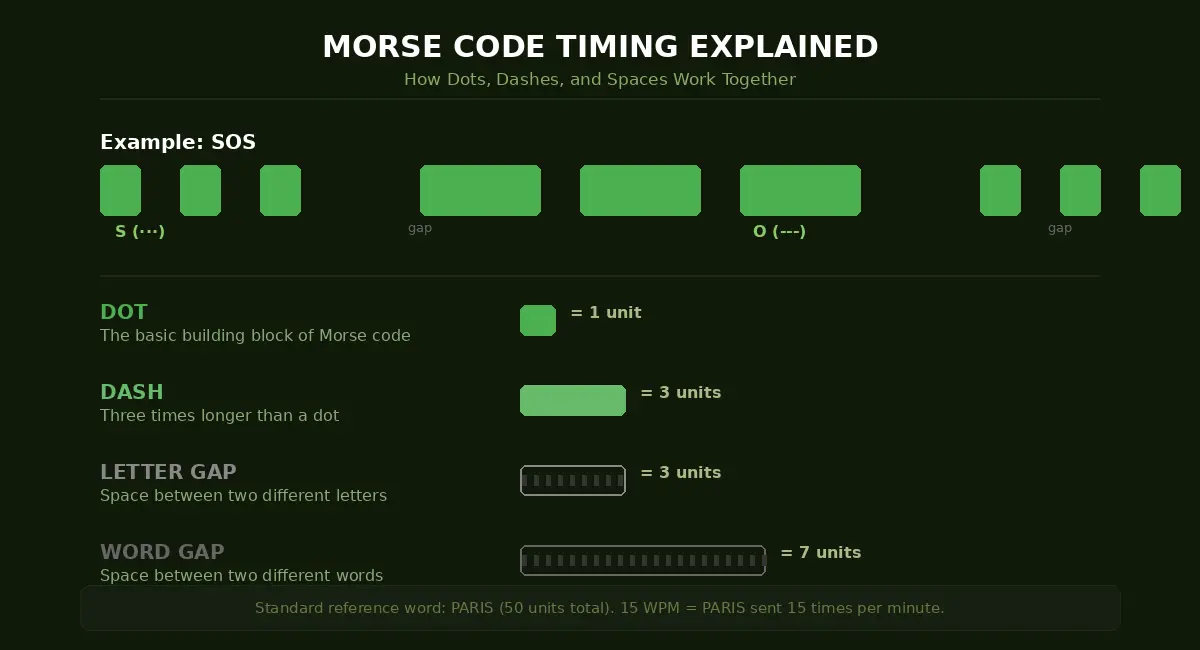
- A dot is the basic unit
- A dash lasts three times longer than a dot
- The gap between dots and dashes inside the same letter equals one dot length
- The gap between separate letters equals three dot lengths
- The gap between separate words equals seven dot lengths
At slower speeds like 5 WPM, each dot lasts about 240 milliseconds. At 20 WPM, a dot lasts just 60 milliseconds. That is why learning at higher speeds from the start helps your brain process the patterns as sounds rather than counting individual dots and dashes.
Our translator also lets you adjust the tone frequency. Most people find 500 to 700 Hz comfortable for extended listening. Lower frequencies feel warmer and are easier on the ears during long practice sessions. Higher frequencies cut through background noise better.
Tips for Learning Morse Code with This Translator
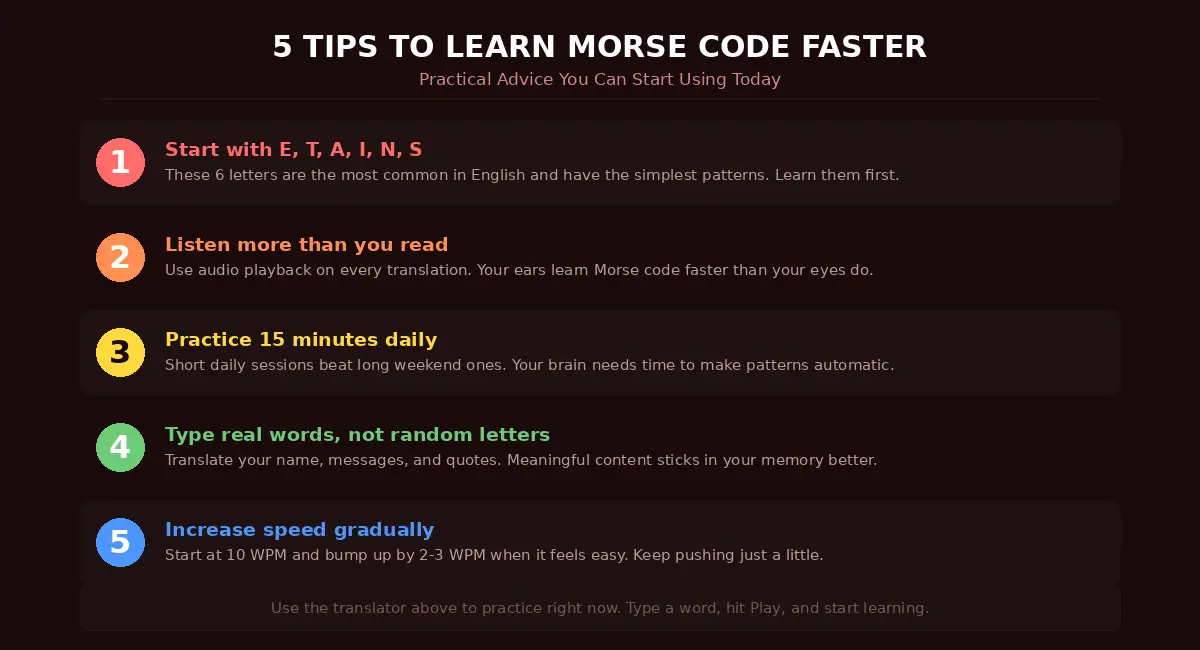
Start with common letters first. E, T, A, I, N, and S are the most common letters in English. They also have some of the simplest Morse code patterns. Learn these first and you will be able to read a surprising amount of text.
Listen more than you read. Use the audio playback feature on every translation you make. Your ears learn Morse code faster than your eyes. The goal is to hear "di-dah" and instantly think "A" without needing to look at dots and dashes on screen.
Practice a little bit every day. Fifteen minutes of daily practice beats two hours once a week. Your brain needs time to turn new patterns into automatic responses, and that only happens with regular, repeated exposure.
Type real words and sentences. Do not just translate random letters. Type messages that mean something to you. Translate your name, your favorite quote, a text message you just received. Real content sticks in your memory much better than random strings.
Use the speed setting to challenge yourself. Start at 10 WPM and gradually move up. When the audio feels too easy at your current speed, bump it up by 2-3 WPM. You want it to feel slightly challenging but not overwhelming.
Morse Code in the Digital Age
Morse code keeps finding new uses in modern technology. Google added Morse code input to Gboard on Android, letting people type using just two buttons. Apple Watch can send and receive taps in Morse code patterns. Many IoT (Internet of Things) devices use simple on-off signals that follow the same basic logic as Morse code.
In cybersecurity and computing, Morse code concepts appear in data encoding and signal processing. The binary nature of Morse code (two states: on and off) connects directly to how computers work with ones and zeros.
And in pop culture, Morse code shows up everywhere. Movies, TV shows, video games, and music have all used it as a plot device or hidden message. The opening riff of the song "YYZ" by Rush is actually the Morse code for the letters Y-Y-Z, which is the airport code for Toronto.
Frequently Asked Questions About Morse Code Translator
What is a Morse code translator?
A Morse code translator is an online tool that converts regular text into Morse code and converts Morse code back into readable text. You type a word or sentence, and the translator shows you the matching pattern of dots (short signals) and dashes (long signals). Our translator also plays the Morse code as audio so you can hear what it sounds like, which is especially helpful if you are trying to learn Morse code by ear.
How does the audio decoder work?
The audio decoder on our tool takes Morse code and plays it as real sound through your speakers or headphones. Each dot plays as a short beep and each dash plays as a longer beep, with proper gaps between letters and words. You can control the playback speed (WPM) and the tone frequency (Hz) to match your listening preference. You can also download the audio as a WAV file to practice offline or share with others.
Can I translate Morse code to text and text to Morse code?
Yes, our translator works both ways. Type normal text and get Morse code output, or type Morse code (using dots and dashes separated by spaces) and get plain text back. The translation happens instantly as you type, so you do not need to press any buttons or wait for results.
Is this Morse code translator free?
Completely free. There are no hidden costs, no premium plans, no limits on how many translations you can do. You do not need to create an account or provide any personal information. Just open the page and start translating.
Can I use this on my phone?
Yes. The translator works on all devices including smartphones, tablets, laptops, and desktop computers. It runs entirely in your browser, so you do not need to download or install anything. The layout adjusts to fit your screen size automatically.
How accurate is this Morse code translator?
The translator uses the International Morse Code standard, which is the globally accepted version used by amateur radio operators, military, aviation, and maritime communication. Every character converts exactly according to this standard. The translations are 100% accurate for all supported letters, numbers, and punctuation marks.
Can I save or share my Morse code messages?
Yes. You can download the audio as a WAV file, copy the Morse code text, or share a direct link to your translation. The share feature also lets you send your Morse code message directly to WhatsApp or Telegram, which is a fun way to send coded messages to friends.
What speed should I set for learning?
If you are just starting out, set the speed between 10 and 15 WPM. This is fast enough that your brain starts to recognize sound patterns rather than counting dots and dashes, but slow enough that you can keep up. As you get more comfortable, increase the speed by 2-3 WPM at a time.
What is the best tone frequency to use?
Most people find 500 to 700 Hz comfortable for regular practice. The default on our tool is 600 Hz, which is a good middle ground. If you are practicing in a noisy environment, try a higher frequency like 700-800 Hz since it cuts through background noise better. For long sessions, a lower tone like 500 Hz is easier on the ears.
Can I use Morse code as an accessibility tool?
Yes. Morse code works as an effective input method for people with limited mobility. Google added Morse code support to its Gboard keyboard on Android devices, where users type by tapping two large buttons for dot and dash. Our translator helps people learn and memorize the patterns they need for this kind of communication.
Morse Code Reference
Features
Two-Way
Text ↔ Morse
Audio
Hear the code
Visual
See flashes
Download
Save as WAV
Share
Send anywhere